Implementing redirects for your website sometimes can be a very difficult and even painful process. I have learned it first hand when I decided to move 500+ posts about affiliate marketing from my old blog. It tuns out that htaccess file, while being very useful, can not handle unlimited amount of redirects. Having implemented about 200 of 301 redirects, I have soon discovered that visitors to my old blog where looking at 500 misconfiguration error page. Fortunately (HT: Andy Beard) I was pointed to Redirection Plugin. I quickly realized that this plugin is a must have plugin on any WordPress powered website. It does not require Apache htaccess, since it works entirely “inside” the WordPress. This plugin can be very useful if you are an affiliate marketer and need to cloak affiliate links without having to mess with htaccess file.
This plugin can be trully called the King of redirects. Here are some key functionality features of the plugin.
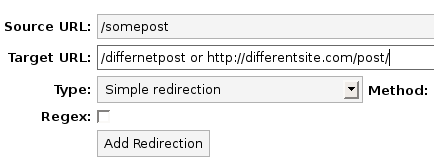
- Creating a redirect is quick and easy. Takes literally few seconds by filling out a simple form:
- Offers 6 different type of redirects and 6 different methods:
-
Type of redirects:
- Simple Redirection
- Redirect based on login status
- Redirect to a random WordPress post
- Redirect to one of several URLs
- Redirect based on referrer
Methods of redirects:
- 301 Permanent redirect
- 302 Moved
- 307 Temporary redirect
- 404 Not found
- 410 Gone
- Pass-Trhough
- Once the redirects are set up on your blog, it offers statistics of how many times the redirect was accessed as well as the date when it was accessed last:
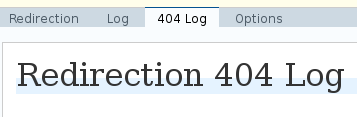
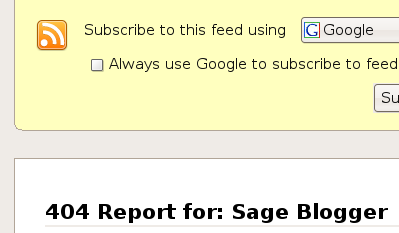
- It will monitor for you every time your website serves 404 not found page to your visitors. In fact in it provides you with a RSS feed of the latest 404 outputs by your site so you can act quickly if needed:
- It can automatically create a 301 redirect when post slug changes:

This feature can be of great use if you decide to change the post slug after your page was indexed by a search engine. I personally will benefit from this feature. I change the post slugs quiet often after discovering a misspelling, some times weeks after it was indexed.

If you ask me which plugin is the most useful to a WordPress blogger. I would have to say that Redirection plugin has to be among the top three plugins that every WordPress user must have.
yeah it's great work.